Backend Tab
Configure which translation backend to use - OpenAI Vision, Ollama, or a self-hosted server.
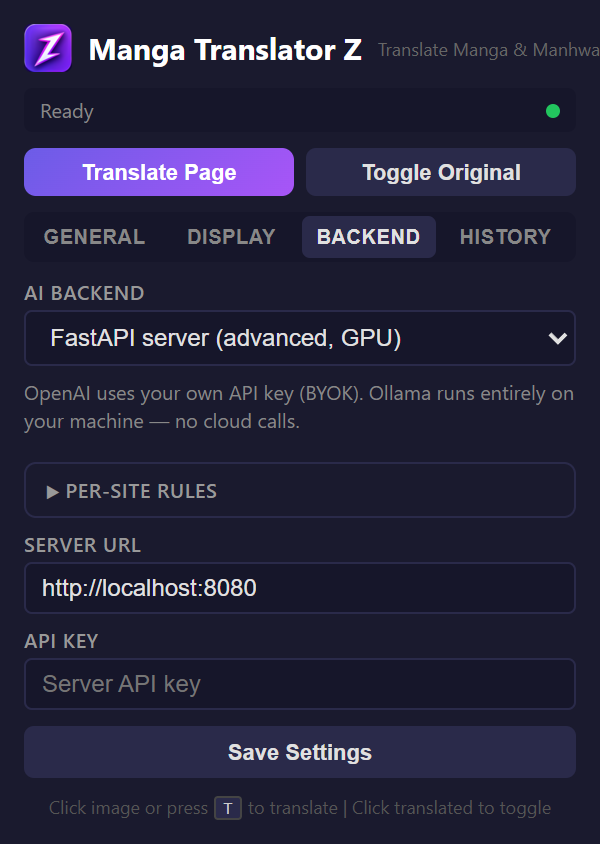
Backend Selector
Choose from three backends at the top of the tab:
| Backend | Requires | Best For |
|---|---|---|
| FastAPI Server (default) | Nothing - points at our hosted service out of the box | Zero-setup reading on the free weekly quota; paid tiers for heavy use |
| OpenAI Vision | Your own OpenAI API key (BYOK) | Full control of the model; billed directly by OpenAI |
| Ollama | A local Ollama instance | Complete privacy, 100% offline, no costs |
OpenAI Vision Settings
- API Key - Your OpenAI API key (stored locally)
- Model - GPT-5.4 Nano, GPT-5.4 Mini, or GPT-4o
Ollama Settings
- Server URL - Default:
http://localhost:11434 - Model - Dropdown auto-populated from your installed Ollama models
Server Settings
- Server URL - Your FastAPI server endpoint
- API Key - Authentication key for the server
Connection Check
Each backend section has a "Check Connection" button that verifies connectivity with a 10-second timeout. For Ollama, it also fetches installed models and refreshes the model dropdown.
Per-Site Rules
Below the backend settings, a textarea allows you to define per-domain setting overrides. See the Per-Site Rules page for details.